
Boost Your Downloads Up to 8x Faster!
Download Files Faster and More Reliably
With Internet Download Manager (IDM), you'll never have to wait for downloads again. Experience remarkable download speeds that will exceed your expectations. IDM automatically repairs broken downloads and resumes interrupted transfers caused by lost connections, network issues, system shutdowns, or sudden power failures.
Advanced Download Engine
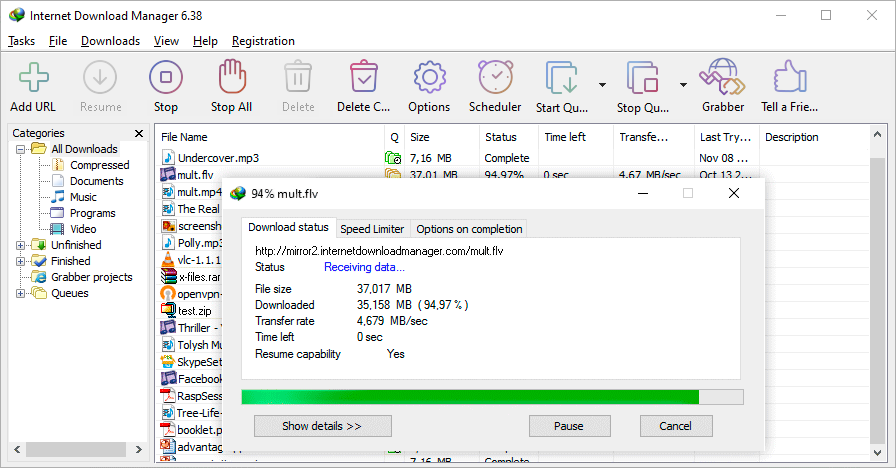
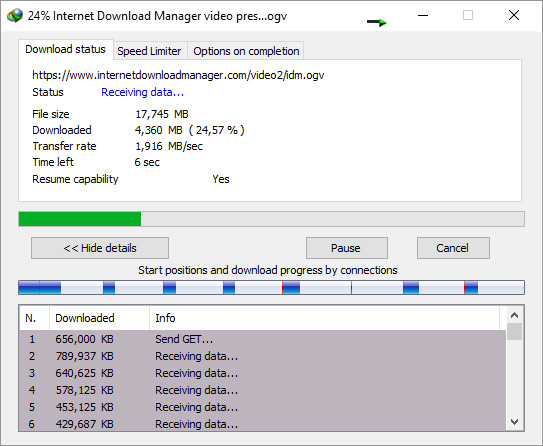
Our advanced download engine utilizes unique algorithms to retrieve Internet data at optimal speeds. IDM consistently accelerates downloads through its innovative dynamic file segmentation technology. Unlike competing download managers, IDM dynamically segments files during the download process and reuses existing connections without unnecessary reconnection steps, achieving maximum acceleration performance. With over two decades of experience in download acceleration, our engineers continuously enhance this powerful engine.
Compatible with All Major Browsers
IDM integrates smoothly with Google Chrome, Firefox, Microsoft Edge, Opera, Safari, Internet Explorer, AOL, MSN, Maxthon, and all other leading browsers. With over two decades of experience developing browser extensions, we offer some of the most advanced integration solutions available.
IDM provides extensions for
Chrome,
Firefox,
legacy and
modern Edge,
Opera, and other browsers.
Install the IDM extension for Google Chrome
Install the IDM add-on for Mozilla Firefox
Install the IDM extension for Microsoft Edge
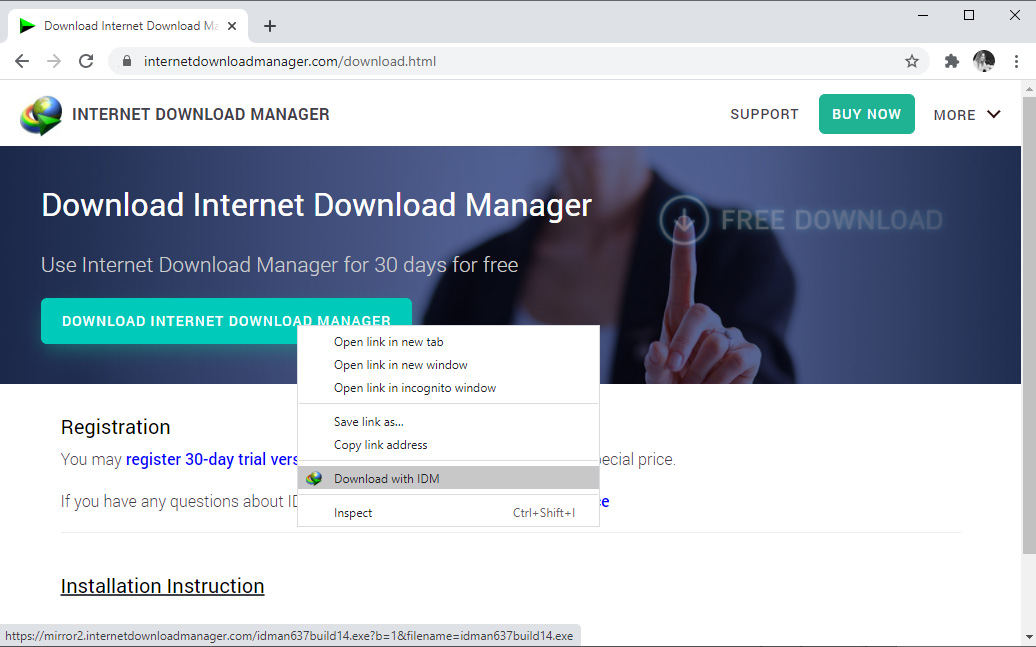
To ensure IDM can take over downloads and provide right-click menu options, keep IDM extensions installed and enabled in your browsers. If you encounter any issues, first verify that the "IDM integration module" extension is properly installed and enabled in your browser.
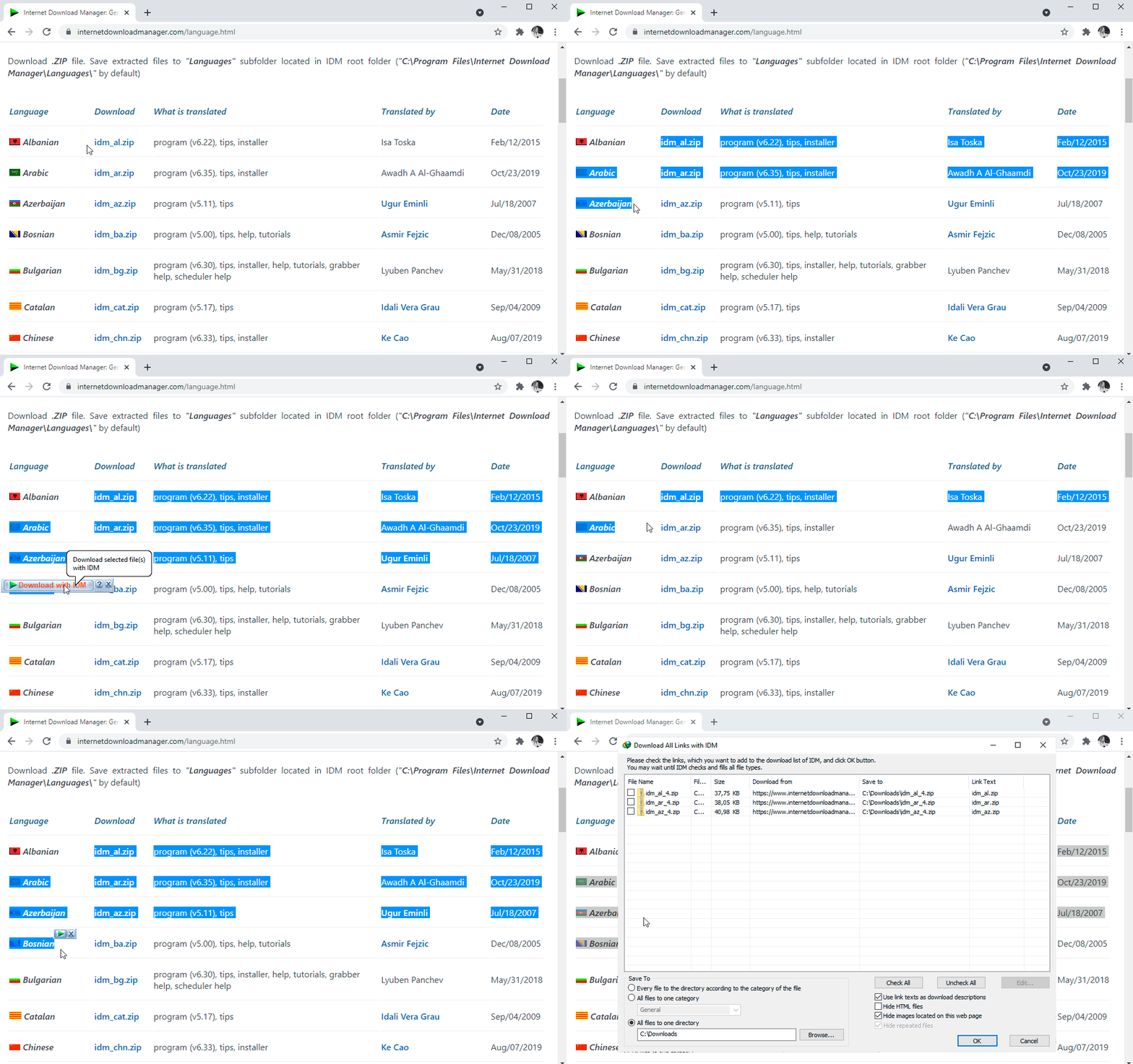
Download selected files with one click
When several links are selected with a mouse in a browser, IDM will show "Download with IDM" button. You can also minimize this button in "Options→General tab→Customize download panel in browsers" IDM dialog.
Download files from your favorite web sites
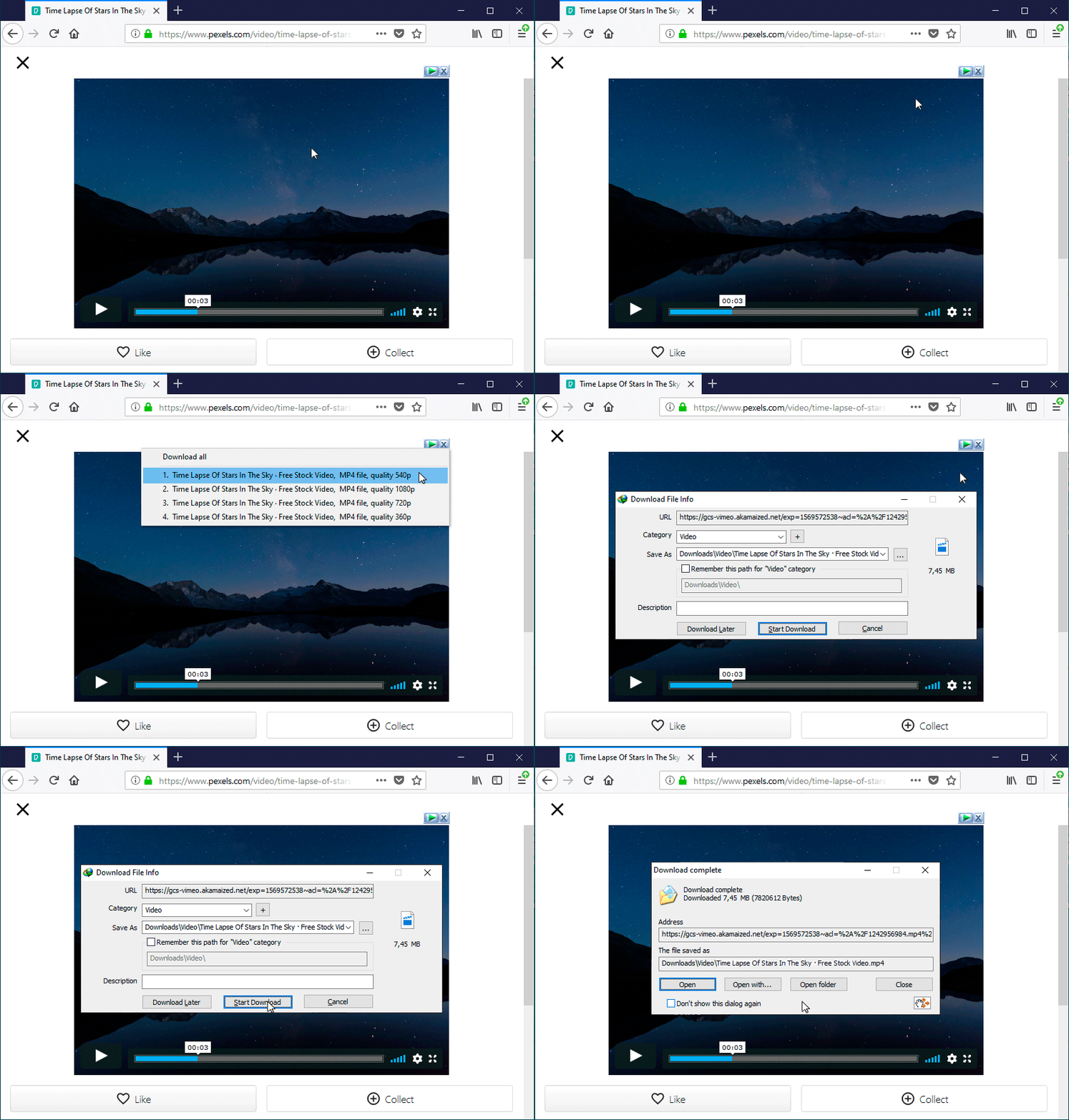
After installing "IDM integration module" browser extension, just continue surfing the Internet, and you will be amazed how easy is to download everything you want from your favorite web sites with IDM video download panel.
Built-in Scheduler
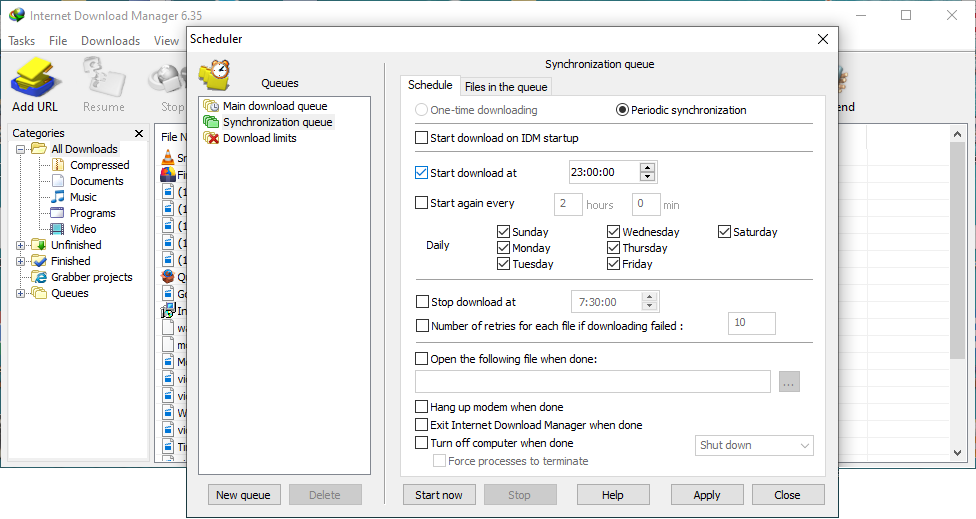
Internet Download Manager can connect to the Internet at a set time, download the files you want, disconnect, or shut down your computer when it's done. You can also synchronize changes using periodic synchronization of files. It's possible to create and schedule several download queues for downloading or synchronization.
Download categories
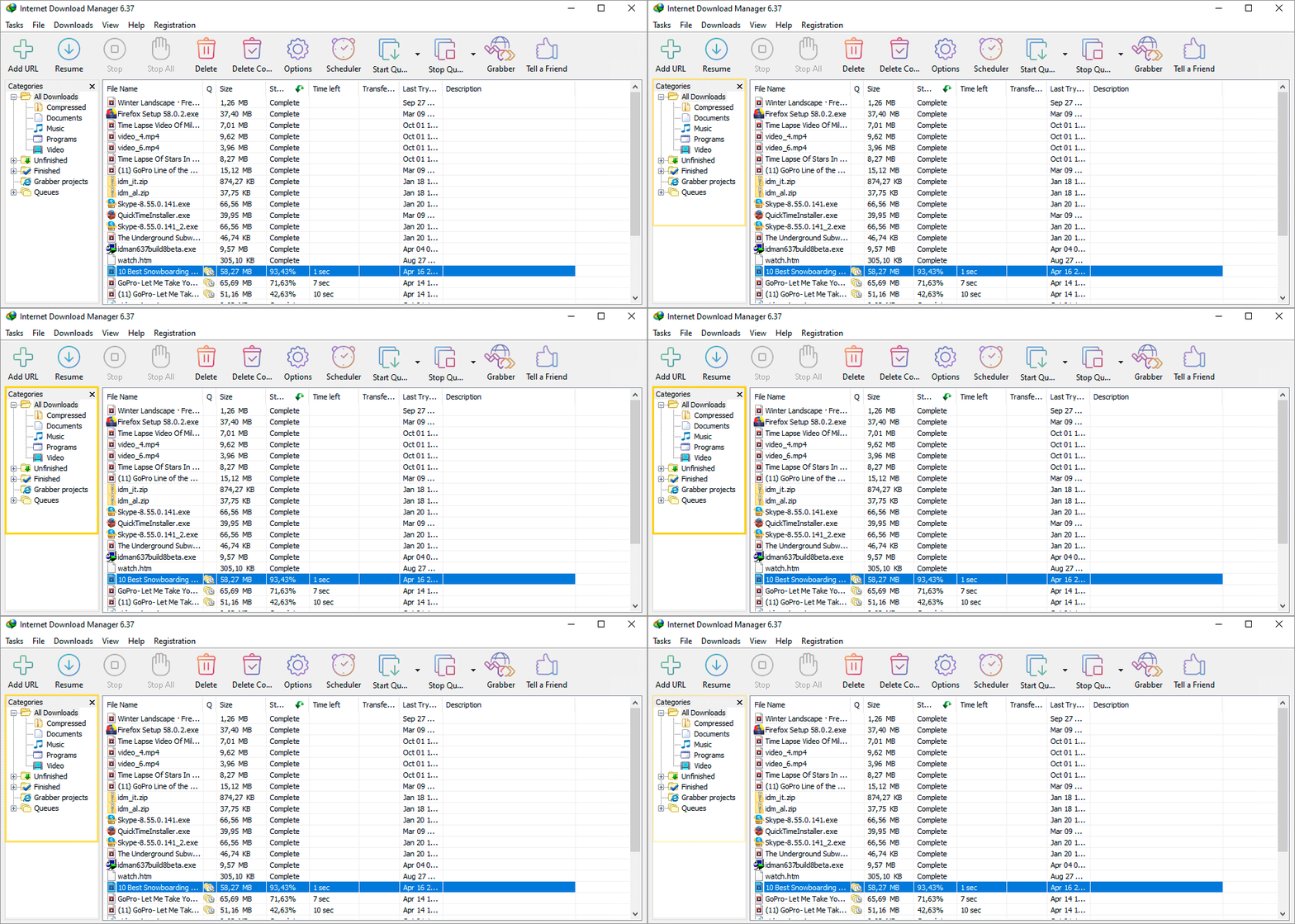
Internet Download Manager can be used to organize downloads automatically using defined download categories. You can add your custom categories for some file types or specific sites.
Customizable Interface
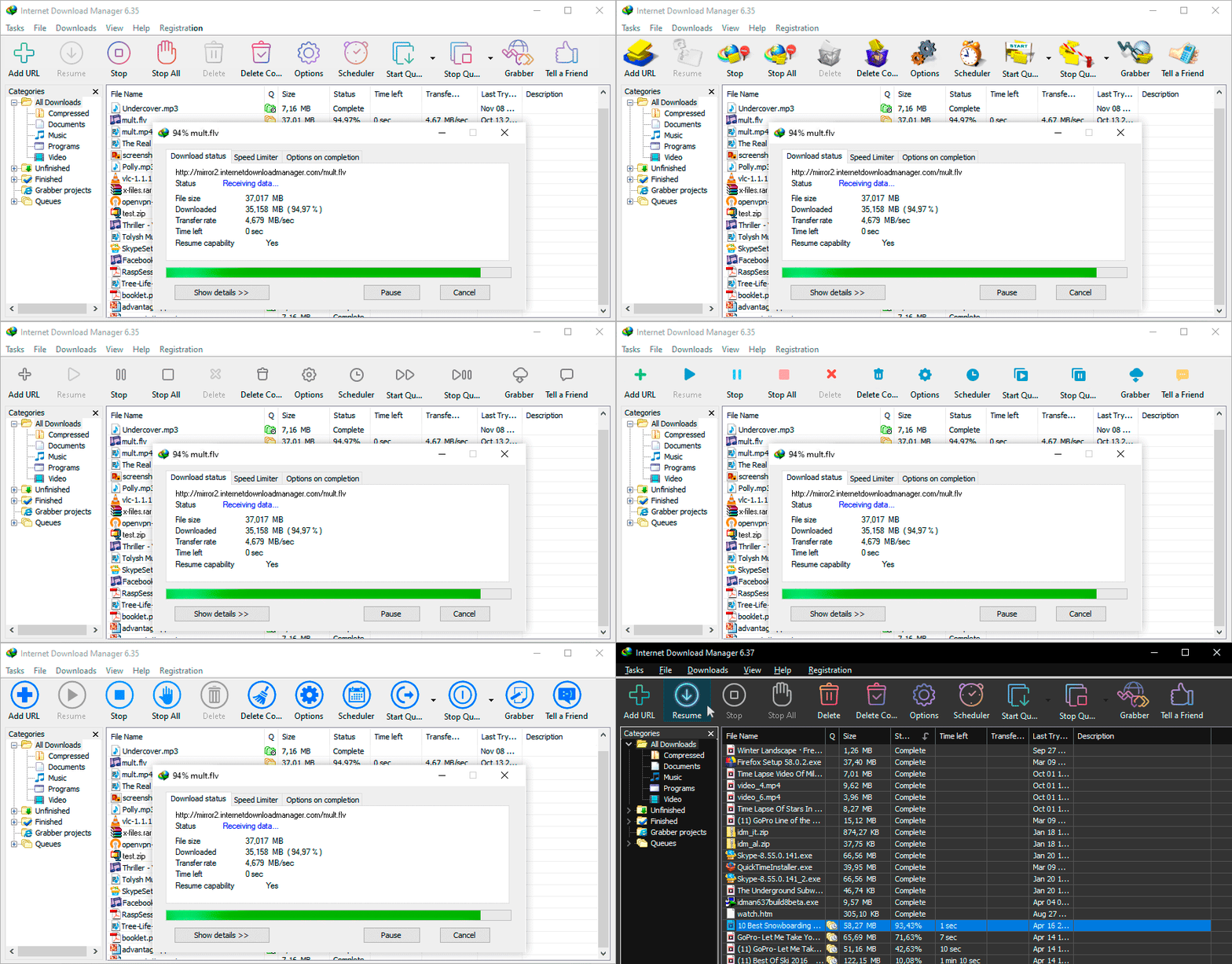
You may choose the order, buttons and columns to appear on the main IDM window. There are several different skins for the toolbar with different button styles. All skins can be downloaded from IDM home site. Also users can design their own skins.
Also you can choose the light or dark IDM theme.
Choose and set up new IDM toolbar
Try Internet Download Manager for free
You can try Internet Dowload Manager for free 30 days! No email or credit cards required. Download and install IDM and stop waiting for your downloads.
Download Internet Download Manager
For OS: Windows 7, Windows 8/8.1, Windows 10, Windows 11
new version
Internet Download Manager v6.40: Added Windows 11 compatibility. Improved media grabber to save media files from web players on web pages.
learn moreInternet Download Manager awards

CNet
Top rated

Softpedia
5/5 rating

CNet Rating
Most popular

GoldSoft.com
5/5 rating

ZDNet
Editors pick

Freetrialsoft
5/5 rating

Download.com
Editors pick

Softpile.com
5/5 rating
Earn money by recommending IDM!
The Internet Download Manager affiliate program is an easy way for you to earn money by promoting Internet Download Manager.
learn more